
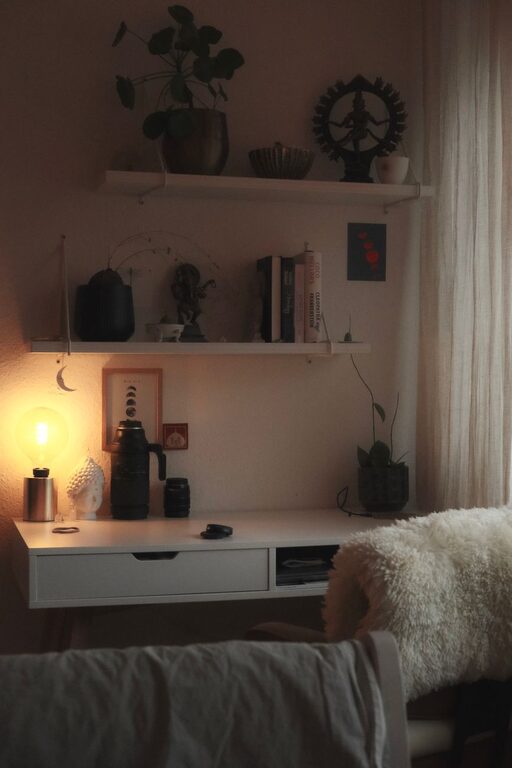
Creating a relaxing home workspace is essential now more than ever, as many people have shifted to remote work or spend increased time working from home. A well-designed workspace not only boosts productivity but also helps reduce stress and create a sense of balance between work and personal life. In this post, we’ll explore practical tips that can help you set up a comfortable, calming workspace suited to your needs.
Why a Relaxing Workspace Matters
Your environment deeply influences how you feel and work. A cluttered or uncomfortable space can cause distractions and negatively affect your focus. On the other hand, a relaxing and organized workspace can improve concentration, mood, and overall work satisfaction.
Step 1: Choose the Right Location
Find a Quiet Spot
Select a location in your home with minimal noise and foot traffic. This could be a spare bedroom, a corner in the living room, or even a nook near a window.
Prioritize Natural Light
Natural light boosts mood and reduces eye strain. Position your desk near a window if possible, but avoid direct glare on your computer screen.
Step 2: Invest in Comfortable Furniture
Ergonomic Chair
Choose a chair that supports your back and encourages good posture. Adjustable chairs help ensure comfort throughout the day.
Spacious Desk
A desk with ample surface area lets you spread out your work materials and keeps everything organized.
Consider Standing Options
Standing desks or convertible setups allow you to alternate between sitting and standing, promoting better circulation and reducing fatigue.
Step 3: Keep Your Workspace Organized
Declutter Regularly
Remove unnecessary items and keep only what you need on your desk. A tidy space promotes mental clarity.
Use Storage Solutions
Incorporate shelves, drawers, or storage boxes to keep supplies within reach but out of sight.
Digital Organization
Clean up your computer desktop and use digital tools to manage files and tasks efficiently.
Step 4: Add Calming Elements
Choose Soothing Colors
Soft, muted tones such as light blue, green, or beige can create a relaxing atmosphere.
Include Plants
Houseplants improve air quality and provide a touch of nature, which can reduce stress.
Personalize with Meaningful Decor
Include a few personal items like photos, artwork, or inspirational quotes that lift your mood without cluttering the space.
Step 5: Control Lighting and Noise
Adjustable Lighting
Use desk lamps with adjustable brightness to avoid straining your eyes during different times of day.
Noise Management
If you can’t avoid ambient noise, try noise-canceling headphones or play gentle background music or white noise to enhance focus.
Step 6: Establish Boundaries
Set Clear Work Hours
Define your work time and stick to it. Having a routine helps separate work from relaxation.
Physical Boundaries
If possible, create a dedicated workspace separate from areas meant for rest to mentally signal when it’s time to work.
Step 7: Take Breaks and Move Around
Schedule Regular Breaks
Short breaks every hour can help reduce fatigue and maintain energy levels.
Include Stretching or Light Exercise
Incorporate simple stretches or a quick walk to keep your body active and prevent stiffness.
Final Thoughts
Designing a relaxing home workspace is a thoughtful process that balances comfort, organization, and personal style. Whether your space is large or small, the key is to make it functional and inviting so you can approach your workdays with calm and focus. Start with these tips, and adjust your workspace as needed to find what works best for you.
By investing time into creating a dedicated, relaxing area for work, you can enhance your productivity, wellbeing, and overall enjoyment of your home work environment.