
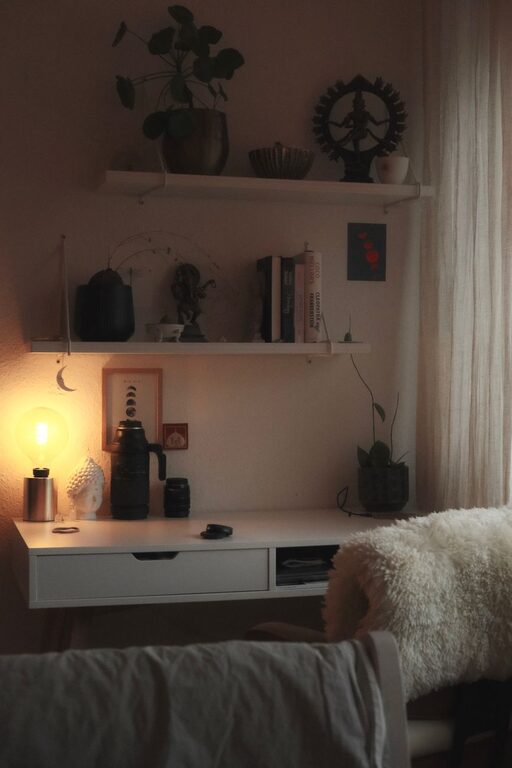
Creating a cozy and productive home workspace can significantly impact your workday. Whether you work remotely full-time or occasionally need a spot to focus, a well-designed space helps you stay organized, motivated, and comfortable. Here are some practical tips to help you set up a home workspace that feels both inviting and efficient.
Choose the Right Location
Find a Quiet Spot
Start by selecting a quiet area in your home where you can focus without distractions. Ideally, pick a room or corner away from high-traffic zones like the kitchen or living room.
Consider Natural Light
Work near a window if possible. Natural light boosts mood and energy levels, making long work hours feel less tiring. Position your desk so you avoid glare on your computer screen.
Assess Space Requirements
Think about how much space you need for your work essentials: computer, notebooks, printer, or storage. Choosing a spot with enough room prevents clutter and helps maintain organization.
Invest in Comfortable Furniture
Ergonomic Chair
A supportive chair with adjustable height and back support is crucial for comfort during long hours. It helps prevent back and neck pain while improving posture.
Sturdy Desk
Pick a desk that suits your workflow. Some prefer standing desks or adjustable options that allow you to switch positions throughout the day. Ensure it has enough surface area for your equipment.
Add Soft Elements
Incorporate cushions or a cozy throw to make your chair more comfortable. A small rug under your desk can add warmth and softness.
Organize for Efficiency
Use Storage Solutions
Keep your workspace tidy by using shelves, drawers, or desktop organizers for papers and supplies. Label containers for easy access.
Minimize Clutter
Only keep essential items on your desk. A clutter-free environment reduces stress and distractions.
Create a Filing System
If you handle a lot of paperwork, develop a straightforward filing system. Use folders or binders to group documents by date or project.
Personalize Your Space
Add Plants
Indoor plants not only brighten the room but also improve air quality and reduce stress. Choose low-maintenance plants like succulents or pothos.
Display Inspiring Decor
Add artwork, photos, or motivational quotes that encourage productivity. Personal touches make the space more inviting.
Use Color Wisely
Colors can affect mood. Soft blues and greens promote calmness, while pops of orange or yellow can energize.
Manage Lighting
Combine Different Sources
Use a mix of ambient, task, and accent lighting. A desk lamp with adjustable brightness helps reduce eye strain.
Avoid Harsh Lighting
Steer clear of overly bright or flickering lights. Warm, soft light creates a relaxing atmosphere.
Establish Work Boundaries
Set Clear Hours
Define your work schedule to separate professional time from personal life. Communicate your hours with family or roommates to minimize interruptions.
Create a “Work Only” Zone
Use your workspace exclusively for work to condition your brain to focus when you’re there.
Take Breaks
Schedule short breaks to stretch or walk around. Regular breaks boost productivity and prevent burnout.
Technology Tips
Organize Cables
Use cable organizers or clips to keep wires tidy and prevent tangling.
Invest in Quality Equipment
Reliable internet, a good headset, and an ergonomic keyboard can improve your work experience.
Backup Your Data
Regularly save important documents on cloud storage or external drives to prevent data loss.
Maintain Cleanliness
Daily Tidying
Spend a few minutes at the end of each day putting things away and wiping surfaces.
Deep Clean Weekly
Vacuum, dust, and clean your workspace weekly to keep it fresh and inviting.
—
Creating a cozy and productive home workspace takes some planning but makes a big difference. By selecting the right location, investing in quality furniture, organizing efficiently, and adding personal touches, you can create an environment that supports your work and well-being. With these tips, your home office can become a place where you feel comfortable and motivated every day.